For electronics: a serial per device, installments with a plan on the invoice, and a quote in dollars with the books in your home currency.
Dashing is for an electronics shop that sells devices by serial number, often on installments, to customers who ask for the price in dollars: the serial follows each device from receiving to return, an installment plan sits on the invoice, and a quote is priced in dollars while the books stay in your home currency. Free, and it stays free. Every sale, payment and return posts to the books by itself, so you can run the shop without an accountant. It works in Arabic, Kurdish and English and in seventeen currencies, and the cashier keeps selling when the internet cuts.
Your first day
A new shop opens on the till. Type what the customer paid and press Charge for your first sale, or type a product name and price right there and press Add to sale. Then add a charger and a router in the first-products screen with name, price and quantity, and switch on serial tracking in Settings so each device's serial is recorded when you receive it. After a sale, press Receipt on WhatsApp: WhatsApp opens with a link to the receipt, and nothing is sent until you tap send. For an office that takes a router and pays next week, pick Credit, choose the customer or add them by name and phone, and say when they pay; the invoice is booked as a debt on their account.
Pricing in dollars, accounts in your home currency
You switch on multi-currency in Settings and type the day's rate; the rate comes from you, there is no automatic feed, and a rate older than 7 days is flagged as stale. A quote is priced in dollars, and when it becomes an invoice it is booked in your home currency at that rate. If the customer pays in dollars later, the invoice is settled at the rate of that day and the difference is booked to the exchange-difference account. The till and the reports are always in your home currency.
The device, from receiving to return
- A serial per device once tracking is switched on in Settings, recorded at receiving and kept through the sale and the return; search by serial in inventory and invoices
- Installments: a plan on the invoice with each payment recorded against it; if the plan is canceled the deposit is kept by default and can be refunded
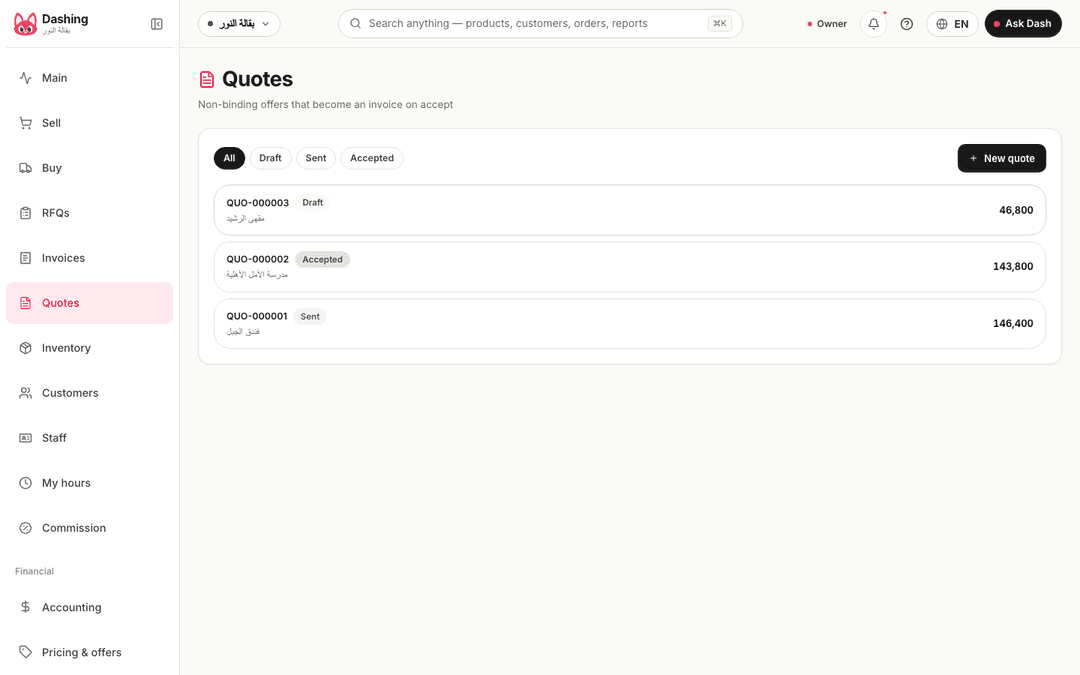
- A quote for companies and offices with a validity date, converted to an invoice in one tap
- A credit limit per regular customer; exceeding it requires the permission and a written reason, both recorded in the audit log
- Quote requests to several suppliers, compared side by side before the purchase order
What it does not do
No warranty register and no warranty-claim tracking; the serial is followed through receiving, sale and return only. No automatic exchange-rate feed.
Common questions
How do I quote in another currency?
Switch on multi-currency in Settings and type the rate of the day. The quote is in dollars, and the invoice and the books are in your home currency at that rate; a later payment in dollars is settled at the rate of the day it is paid, with the difference booked.
Does it know a returned device by its serial?
Yes. The return is picked from the invoice by serial, and the device goes back into stock under the same number.
From the blog
Related
- InventoryInventory software for shops: branches and expiry
- Debt bookDebt book app for shops: due dates, WhatsApp
- InvoicingInvoicing software for shops: invoices and quotes
- Purchasing and suppliersPurchasing and suppliers: orders and receiving
- Profit margin calculatorProfit margin calculator: margin, markup and the price for a target
Try it in your shop, free, no card.
The free plan includes an offline cashier with stock, debts and accounting, and it stays free forever. What it includes