For gold and jewelry: by the gram, a quote in dollars, a number per piece, and installments.
Dashing is for a gold and jewelry shop that sells by the gram at the price you type that day, numbers each piece from purchase to return, quotes in dollars while the books stay in your home currency, and sells on installments. Free, and it stays free. Every sale, payment and return posts to the books by itself, so you can run the shop without an accountant. It works in Arabic, Kurdish and English and in seventeen currencies, and the cashier keeps selling when the internet cuts.
Your first day
A new shop opens on the till. Type what the customer paid and press Charge for your first sale, or type a product name and price right there and press Add to sale. Then add a ring and a bracelet in the first-products screen, type today's price per gram on the item page, and sell the ring by typing its weight, 4.35 grams for example. After a sale, press Receipt on WhatsApp: WhatsApp opens with a link to the receipt, and nothing is sent until you tap send. For a customer who takes the bracelet and pays within a month, pick Credit, choose the customer or add them by name and phone, and say when they pay; the invoice is booked as a debt on their account.
The gram price changes every day
An item's price can be updated at any time from its page, or Dash can suggest the update on a card you approve, recorded under your name in the audit log. Sales by weight: 4.35 grams at the gram price, or a weighed piece by its number. A quote in dollars at the exchange rate you type (a rate older than 7 days is flagged as stale) is booked in your home currency when it becomes an invoice. There is no automatic feed for the gold price or the exchange rate.
The piece and the drawer
- A serial per piece once tracking is switched on in Settings, recorded at purchase and kept through the sale and the return
- Installment sales with a plan on the invoice; on cancellation the deposit is kept by default and can be refunded
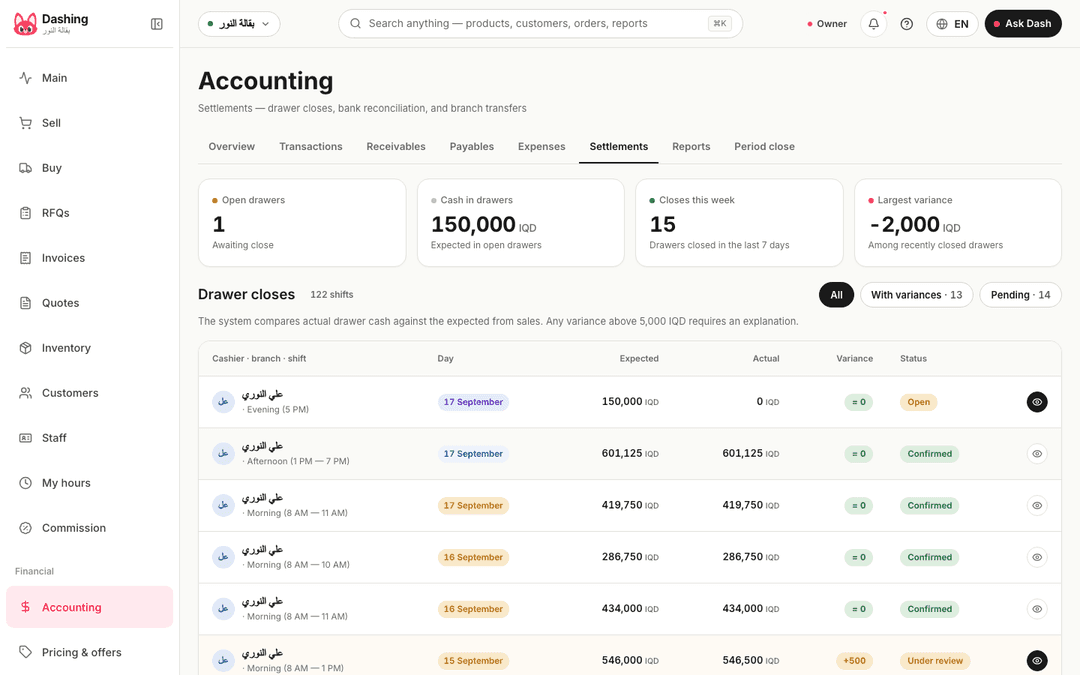
- A blind drawer count switched on in Settings (it is off by default): the expected amount stays hidden until the staff member enters their count, and a written reason is required when the difference exceeds the threshold you set
- Per-screen permissions per employee, and an audit log that cannot be edited or deleted, keeping who did what and when
- A return by number from the invoice itself, refunded in cash or as a balance on the customer account
What it does not do
No karat or making-charge fields and no automatic gold-rate feed; the price is typed. No scale integration: the weight is typed.
Common questions
Can I change the gram price daily?
Yes, from the item page at any time, or from a card Dash suggests and you approve. There is no automatic feed.
Does the staff member see the expected amount at close?
By default, yes. Switch on blind close in Settings to keep it hidden until they enter their count, and set the threshold above which a written reason is required.
From the blog
Related
Try it in your shop, free, no card.
The free plan includes an offline cashier with stock, debts and accounting, and it stays free forever. What it includes