Free cashier and accounting software for shops, works offline.
Free forever · No card · Works offline
- Price the free plan never expires
- Will it fit? retail, food, trades, hotels
- Your data yours, exports to Excel
300+ businesses have signed up for Dashing
In short
What is Dashing?
Dashing is cashier, inventory and accounting software for shops, hotels and rentals. It runs in the browser on any phone or computer, keeps selling without internet, and works in Arabic, Kurdish and English. A built-in assistant called Dash answers from your own numbers.
Is it free?
Yes. Starting is free with no card, and the free plan does not expire. Its daily limits are written on the free plan page.
What does it cost when I need more?
The yearly plan is 420,000 Iraqi dinars per shop, or about 300 USD shown in your own currency, with a full refund within 14 days.
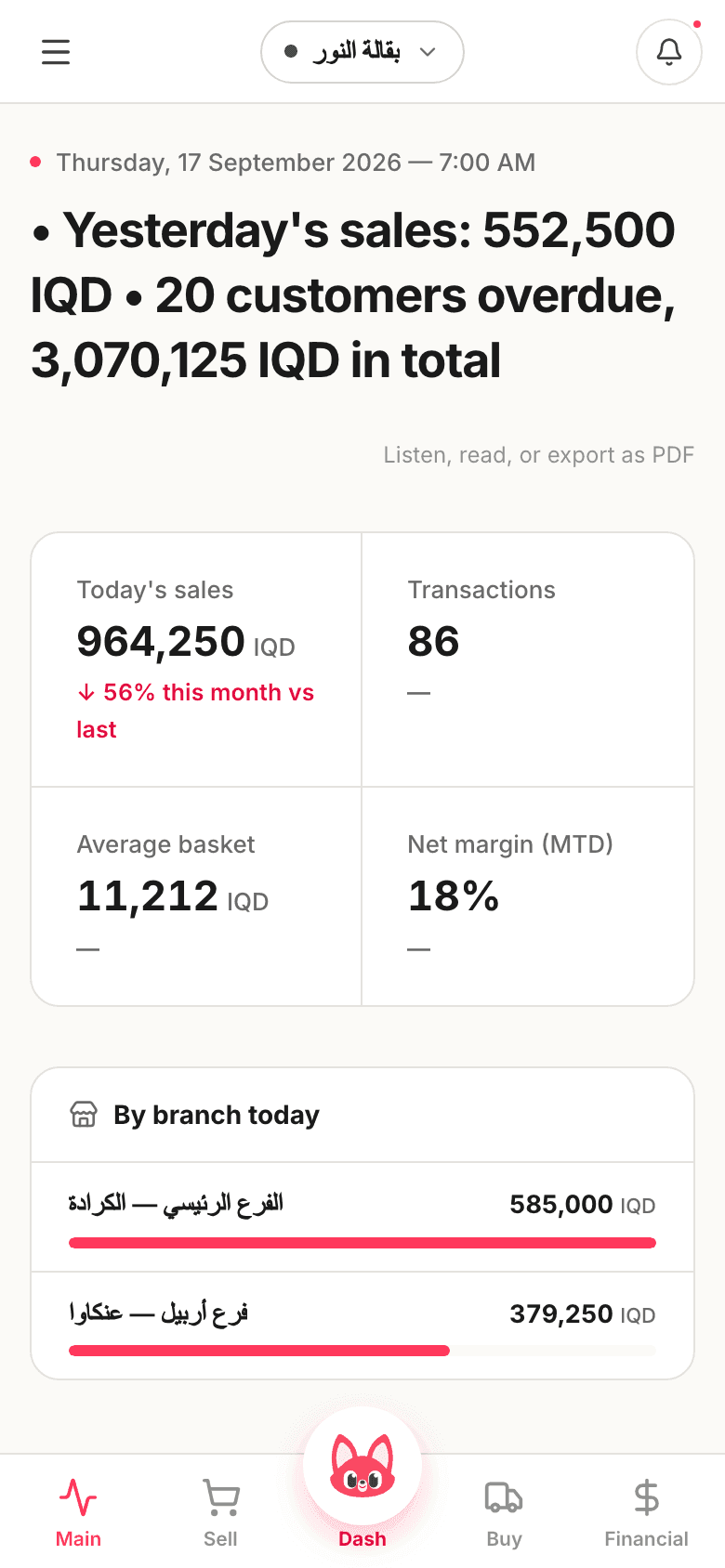
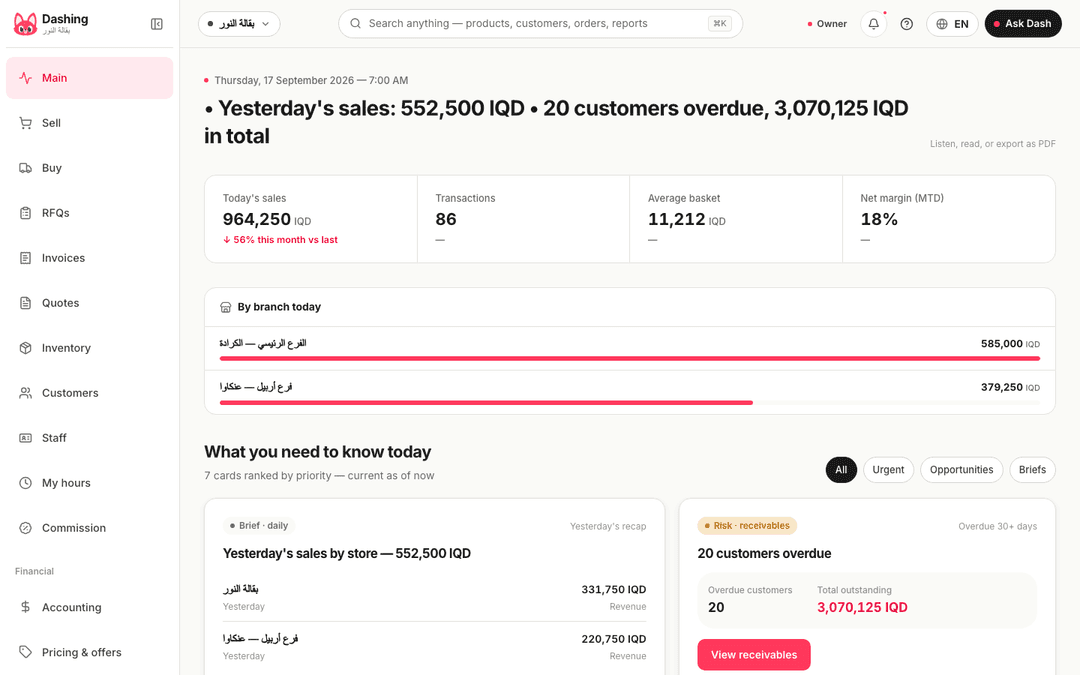
This is what the home screen shows on an ordinary morning.
Dashing brings point of sale, inventory and double-entry accounting into one system. Every sale updates your stock and the customer's balance and posts its accounting entry automatically. Each morning, Dash, the built-in assistant, tells you what you sold yesterday and what needs your decision today. It runs on any phone or computer, in Arabic, Kurdish or English.
Yesterday's sales came to $1,650: $890 at the Main Street branch and $760 at Riverside. 20 customers are more than 30 days overdue and owe $5,265; one tap opens their list. Gross margin over the last 7 days is 25%. And 13 items sell well but below the shop's average margin, starting with Basmati rice 5 kg at 21%.
Two principles behind every screen in Dashing.
Every number comes with a reason and a next step
Each line Dash puts on the home screen says what needs you and why, with a button that takes you straight to the screen where you act on it. The late-customers line, for example, shows how many customers are overdue and how much they owe, and opens their list. For anything that is not on the screen, ask Dash in your own words.
Dash suggests, you decide
Ask Dash to change a price or record a payment and it shows you the change first and waits. Nothing happens until you press Approve, and the audit log records who approved it and when. If you ask for a figure that is not in your data, Dash tells you rather than guessing.
The three screens a shop spends its day on.
The home screen is Dash.
Dash opens your day with a short list of what needs you: the customers who are late and what they owe, and the items about to run out. Each line has a button to the screen where you act on it, and below them is a box to ask in your own words. Dash writes the list from your numbers, so it needs a connection to reach you.
- Ask Dash in Arabic, Kurdish or English: "how much did I sell yesterday?", "who has not paid for a month?", "what is about to run out?"
- Answers come straight from your own numbers. If a figure is not there, Dash says so
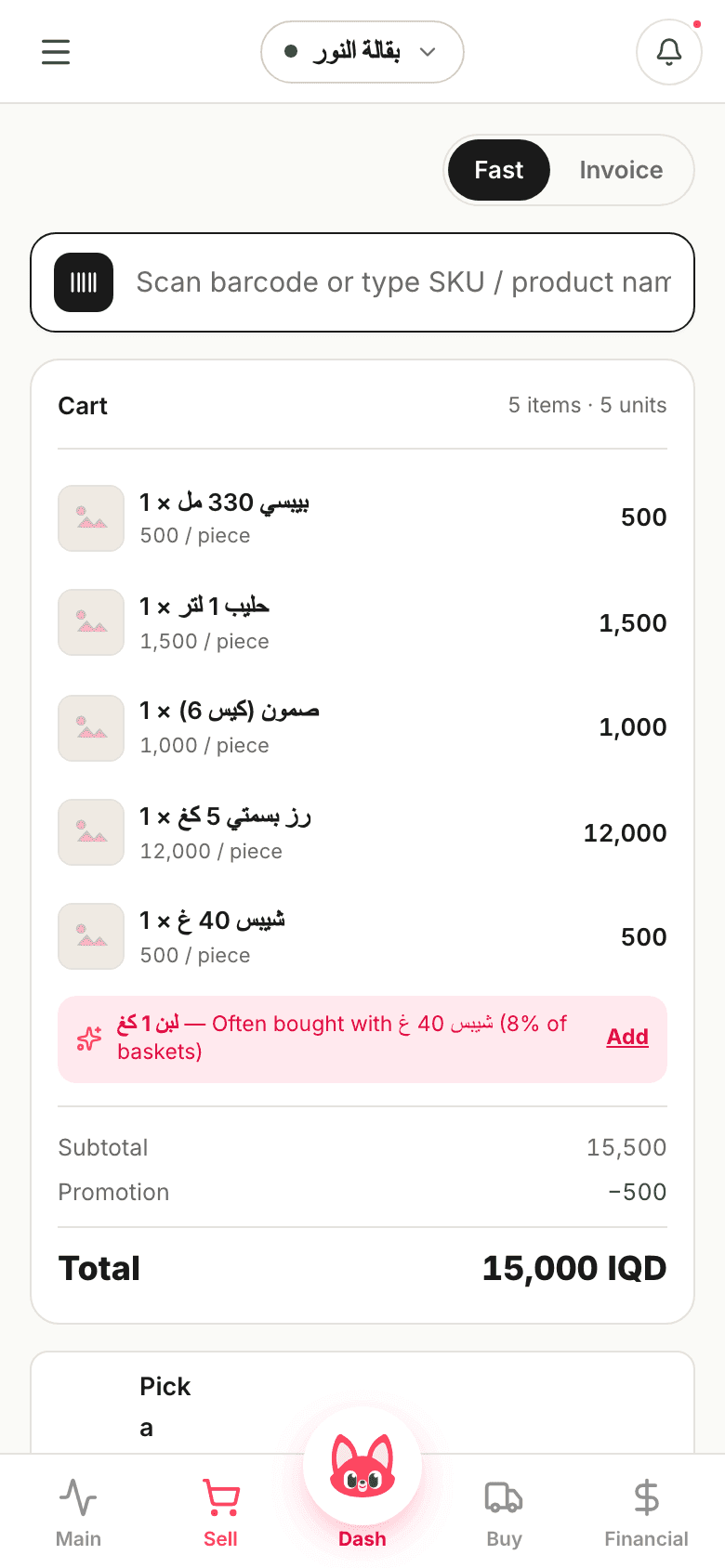
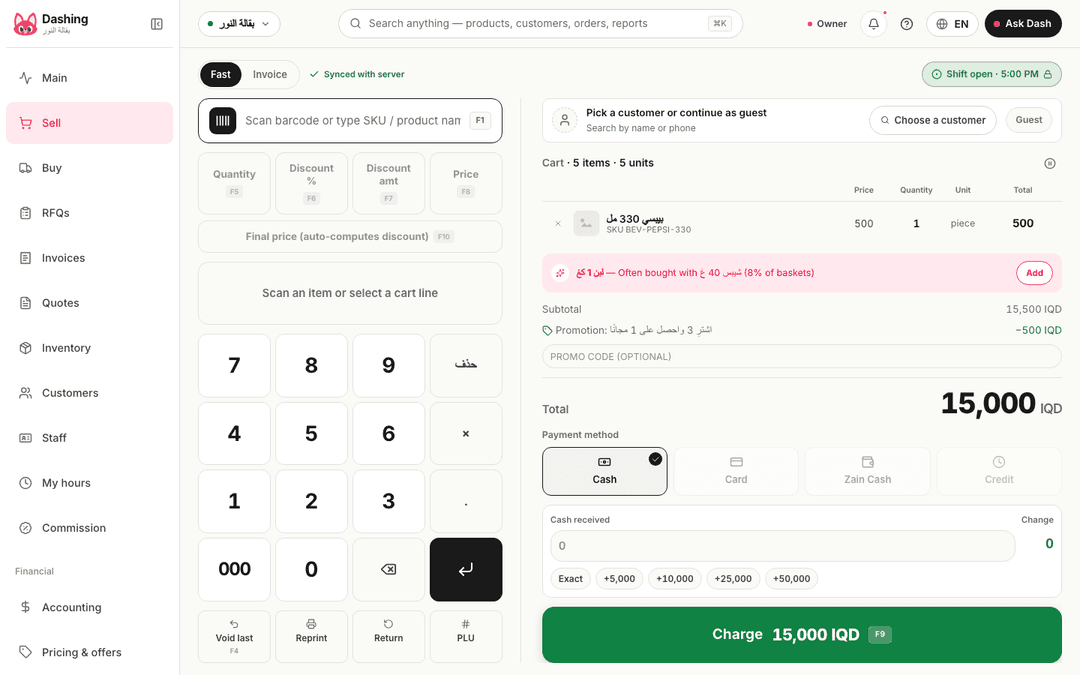
Sell by scanning a barcode or tapping the grid, with or without internet.
The cart in one column with a total you can read from the other side of the counter, and a number pad for the quantity and the discount; a price is changed on the same pad. Hold a sale while the customer goes for cash and finish it afterwards. Print an 80 mm receipt straight from the browser, or send it as a WhatsApp link that stays valid for a year. Scale labels: scan the barcode a price-label scale prints and the item is added at the printed weight (set its layout once in Settings). The scale itself is not connected.
- When the internet drops, every sale is saved on the device and uploaded automatically when the connection returns. No sale is ever recorded twice
- F1 to F5 shortcuts for the most common actions, and any USB or Bluetooth barcode scanner works immediately, with no driver to install
- "Often bought with…" suggestions are calculated from your own sales
- Returns with or without a receipt, refunded in cash or as store credit. A return without a receipt requires permission and is logged under the name of the person who approved it
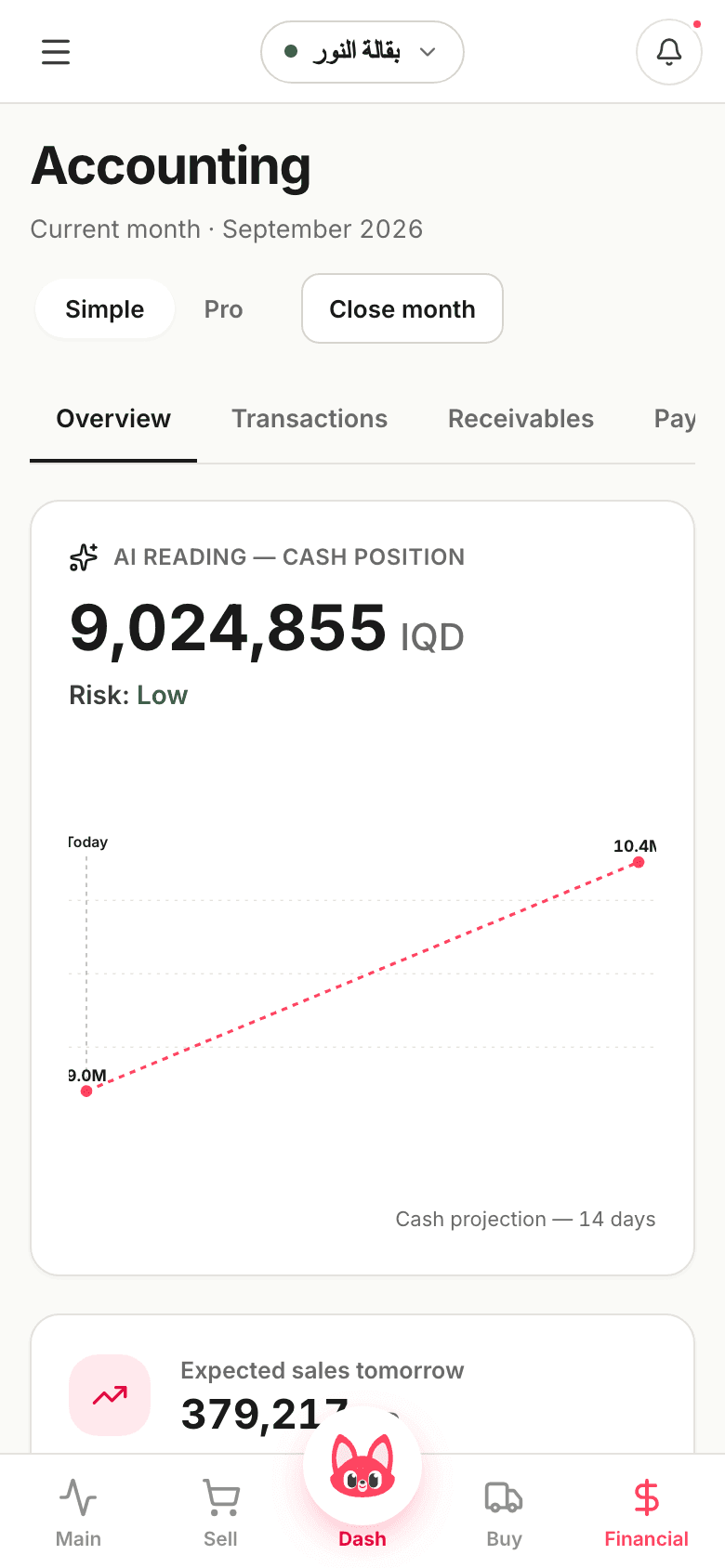
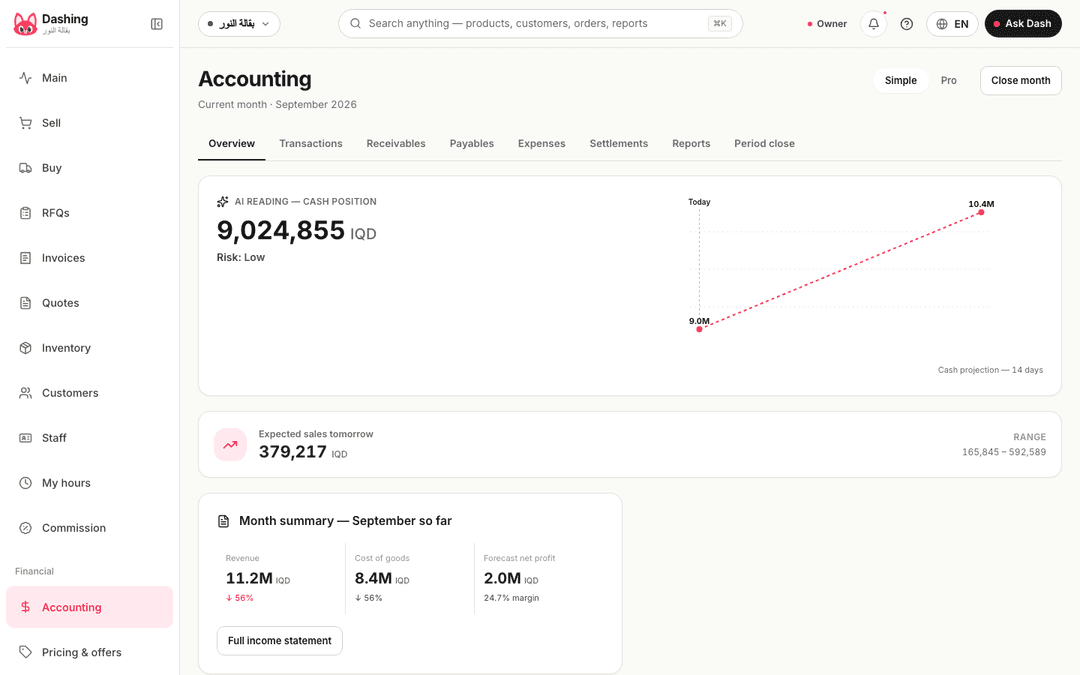
The books are written by the sale itself.
Every sale, purchase and expense becomes a balanced double entry at that moment; an unbalanced one is never saved. You see cash, and what customers owe, in plain sentences; your accountant finds the journal, the trial balance and the statements in the same Accounting section. In the sample shop, Corner Market, on the morning of 15 September 2026: cash $17,200, and the 14-day projection $19,800, between $18,450 and $21,150.
- A 14-day cash forecast with a high and a low range, based on recent sales and expenses
- A customer's statement goes out as a WhatsApp link valid for 30 days, and their balance updates the moment a payment is recorded
- Record an expense from your phone with a photo of the receipt. Financial reports need an internet connection
From sign-up to the first drawer close in Dashing.
Open an account and pick your kind of shop
Your kind of shop sets how you sell (fast cashier or invoices), and you pick the books' currency from seventeen, with one suggested from your country. Then upload your product list as it is, an Excel file, a CSV or an export from your old app, under any column headings; Dashing recognizes the columns itself. You see exactly what will be created, and which rows have errors, before anything is saved. Importing 500 items with their opening stock takes about 6 seconds. Nothing to install and no technician visit.
Sell the way you sell today
The cashier scans and prints; you receive stock and pay suppliers. The accounting entries are posted in the background without you touching them.
Close the shift by counting the drawer
A shift opens with a float and closes with a cash count; the difference is booked automatically. Turn on blind counting in Settings and the cashier counts without seeing the expected amount, and must give a reason for any difference above the limit you set. If the device was offline, closing waits until its sales have uploaded. The next morning, the income statement, balance sheet and cash flow statement are ready in Accounting.
Four things change once the shop runs on Dashing.
The way you sell does not change. What changes is what you know about your shop the next day, and what your accountant finds at the end of the month.
The debt notebook becomes a balance for every customer
The balance updates the moment a payment is recorded, and overdue amounts are aged into four brackets, from 30 days to over 90. Customers receive their statement as a WhatsApp link. A credit limit blocks sales to anyone over it; overriding it requires permission, and the name and reason are written to the audit log. Payment reminders are sent by your staff, not automatically.
An internet outage does not stop the cashier
Sales are saved on the till and uploaded when the connection returns. Each sale has its own reference number, so it is never recorded twice, however many times the upload is retried. The time of sale comes from Dashing's clock rather than the device clock. Financial reports need a connection, and so do the morning brief and Dash.
Problems show up on the home screen
An invoice sold at a negative margin, a customer who is late paying, or an item about to run out: Dash puts each on the home screen, and you can ask it why and get the answer from your own records.
Your accountant finds finished books
The journal, trial balance, income statement and balance sheet are all built from the entries posted by the day's sales and purchases. You give your accountant an account limited to the accounting screens; they work from their own office and export the journal to Excel. Once a period is reviewed and closed, no back-dated entry can be posted into it. There is no link to a tax authority and no automatic bank feed.
25 screenshots from the product itself.
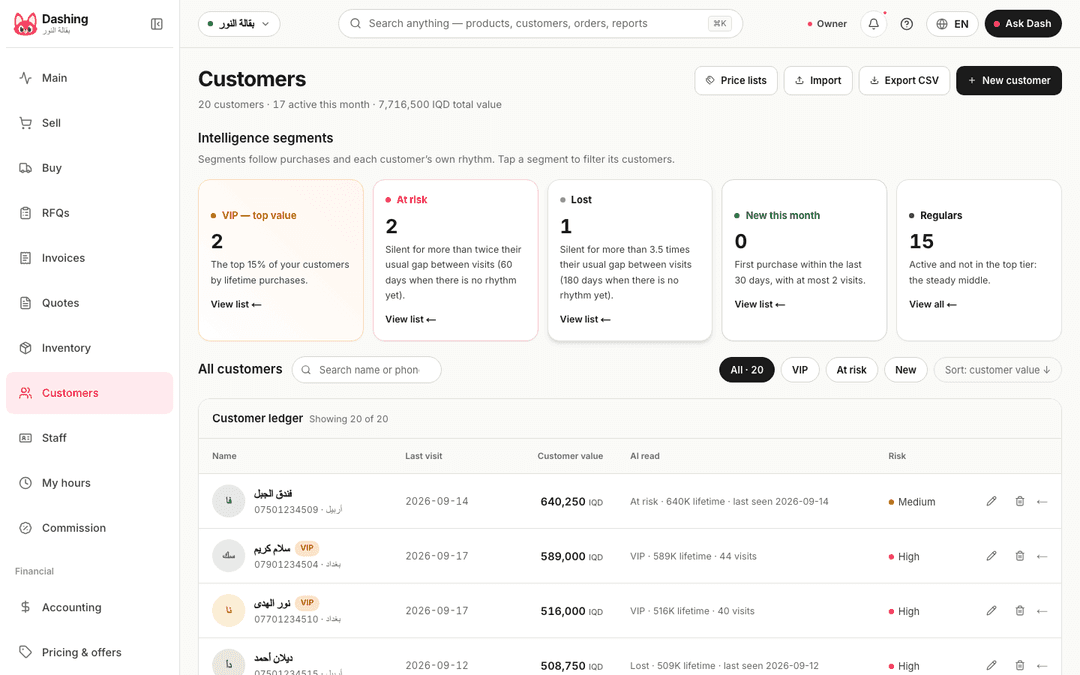
Real screenshots from the sample shop, Corner Market, from the home screen and the cashier to inventory and receivables, each available in all three languages.
Try it freeAll screens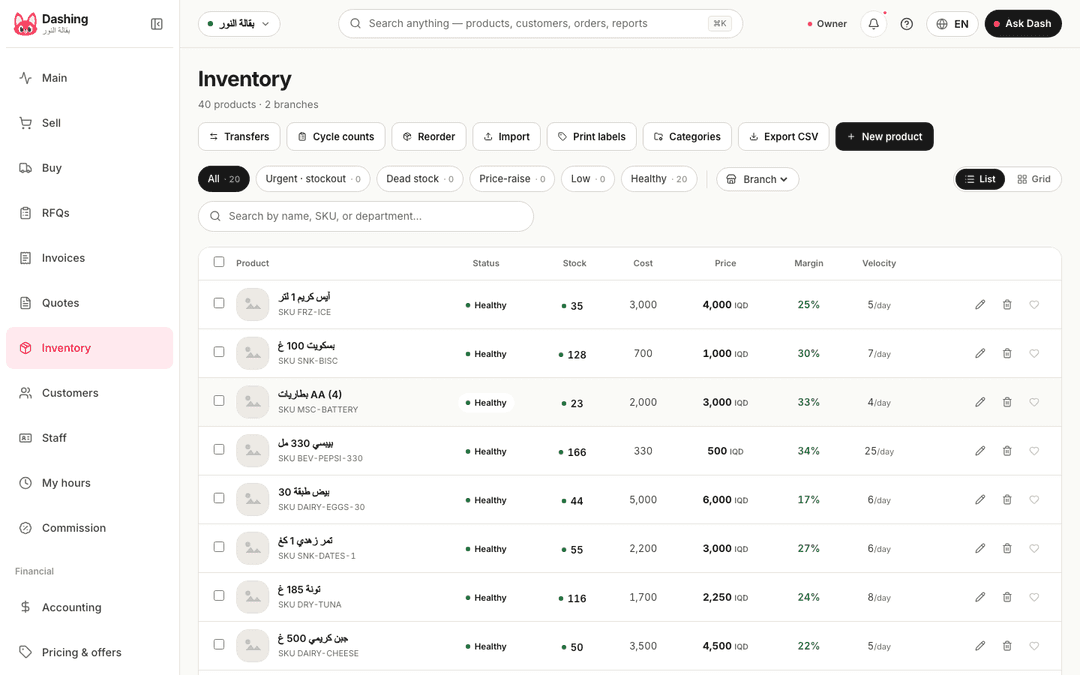
What shop owners ask before they start
Does the cashier work without internet?
Yes. Every sale is saved on the device and uploaded automatically when the connection returns, and each sale has its own reference number so none is recorded twice. What needs a connection: the financial reports and Dash.
Is the free plan temporary?
No. It stays free for as long as you use it, and needs no card. You move to the yearly plan only when you need what it adds.
Is there a monthly plan?
No. There is one paid plan, yearly, at about 25 USD a month per shop, paid yearly (300 USD per shop for the year, shown in your currency), billed once up front, and it does not renew by itself. The free plan needs no subscription at all.
Do I need to download a program on the PC?
No. Open dashingerp.com in the browser on a PC, phone or tablet, sign up and start. It can be installed as an app from the browser so it works offline.
Which barcode reader do I need?
Any reader that acts as a keyboard, which is the common kind, over USB or Bluetooth. No driver and no setup. We do not recommend specific models.
Does it work in Kurdish?
Yes. Every screen and every receipt is available in Arabic, Kurdish (Sorani) and English, and each user picks their own language.
Does it print to a thermal printer?
Yes. A receipt on 80 mm or 58 mm paper, with the shop's logo, address and phone, in Arabic, Kurdish or English: through the browser's print dialog on any printer, or straight to a USB or COM-port printer with no dialog in Chrome or Edge, which also opens the cash drawer on a cash sale. On Windows a USB printer prints through the print dialog.
How fast can I start?
A few minutes. You sign up in the browser with no card, pick your kind of shop, upload your items from an Excel or CSV file or an export from your old cashier app, and start selling today. Every new shop starts on the free plan.
Open a free account today.
The free plan needs no card and never expires. Pick your kind of shop, upload your items from an Excel or CSV file or an export from your old cashier app, and start selling from the browser on any device. When you need more, the yearly plan is about 300 USD per shop, shown in your own currency, with a full refund within 14 days.