Logging an expense with a photo of the receipt
From the expenses screen: "Log expense" with amount, category, payment method and a receipt photo, categories and budgets, and how it shows in the income statement.
Verified against the product on 2 min read
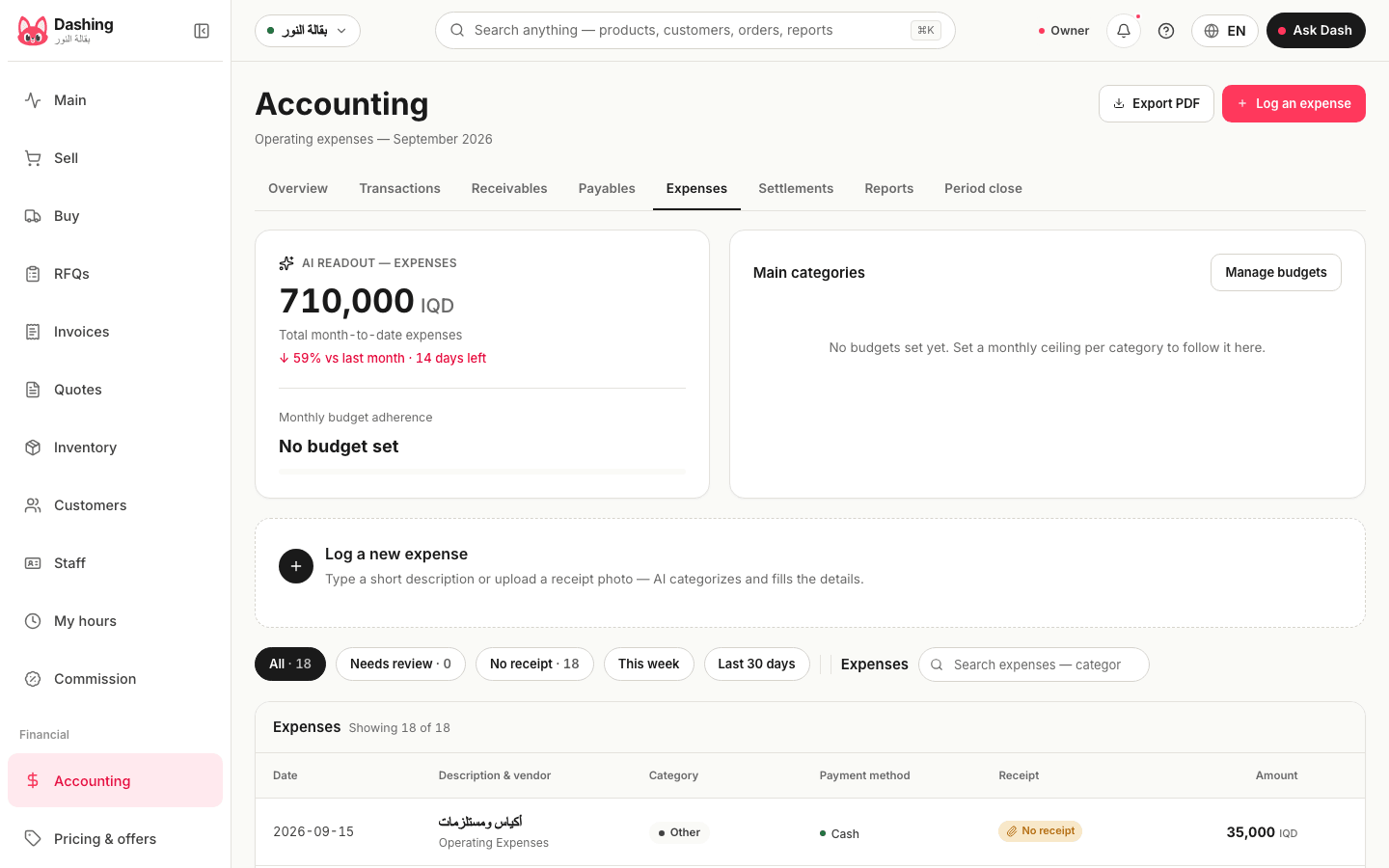
Steps
- Open "Financial", then "Expenses", and press "Log expense".
- Enter the "Amount" and optionally choose a "Category" (or "New category"); with "No category" the expense still saves and goes to general operating expenses.
- Write the "Description (optional)" — to whom it was paid and why.
- Choose the "Payment method": "Cash" (from the shift's drawer), "Card", or "Transfer".
- "Receipt: photo or PDF (optional)": "Take photo" with the phone camera or "Choose file" for an image or PDF. You can also add, remove or replace the receipt later from "Edit".
- Press "Save". The expense appears in the list and in the "Expense report" by category against its budget.
What happens in the books
The category's expense account is debited and the drawer or bank credited, in your active branch; it shows on the income statement at once.
Editing, deleting and restoring
Open the "More options" menu on a row and choose "Edit" to change the amount, date, category, payment method or description, then press "Save changes". Choose "Delete" to move the expense to "Archived"; its amount returns to the account it was paid from. "Archived" is a filter button on the title bar of the expenses list; turn it on to see deleted expenses (it respects the date and category filters and the search), then press "Restore" to bring it back. If the expense belongs to a locked month, the correction is posted in the current month and the locked month does not change.
To delete a cost centre, press the pencil on its card and choose "Delete". Expenses already recorded under it are kept and show it as "Archived".
Recording an expense when the box is empty
An expense can be recorded even when the cash box is empty. The box then shows a minus until money comes in, and the next income brings it back up. If the money came from your own pocket, record it as an owner deposit. A foreign-currency expense takes what the foreign box holds and the rest from the main cash box.
What the system does not do
It does not read the amount from the receipt photo automatically, and it does not record salaries as a payroll system — they are logged as an expense under a "salaries" category.
Common questions
- I paid the expense from the cashier's drawer.
- Choose "Cash" and it is taken from the open shift's drawer so it shows in its count; do not record an extra cash-out for it.
- The category does not exist.
- Press "New category" and type the "Category name"; it then appears for every expense and can get a monthly budget from "Manage budgets". The cap can be in any of your currencies, for example $500.
Was this page helpful?
In the same section
- Cash & bank: reviewing drawer closes and recording a depositThe Cash & bank screen: every branch's shift closes with their status, each shift's report, "Record deposit" to move cash to the bank, safe or owner, and reconciliation.
- Closing a month, closing the year, and reopening eitherMonth-end close: "Lock" a reviewed month so nothing dated inside it is accepted; the year's "Close period" posts the closing entry; both reopen for corrections.
- Foreign cash boxes and exchanging currencySee how much dollar (or other foreign) cash you hold, read each box's statement in its own currency, exchange money between boxes, and count it at shift close.
- Foreign expenses, refunds, month-end revaluation and suggested ratesLog an expense in another currency, how refunds of foreign sales are paid, the optional month-end revaluation, and rates suggested by a live feed.
- Posting a journal entry by hand, and reversing one"New entry" on Transactions: an accrual, a correction or a move between accounts, balanced lines and a written reason; open a row for its lines; reverse one by hand.
- Pricing in a second currency and the exchange ratePick another currency on any price, enter the rate once, choose between asking once or every time, and edit the rate later in Settings.
This page is also available in العربية · کوردی
Read also
Did not find what you needed? Message us on WhatsApp