Hotels & rentals
Renting an office or apartment with a monthly contract
Draft the contract in three steps, activate it, record rent and the security deposit, then give notice, renew or close it. Rentals app.
Verified against the product on 2 min read
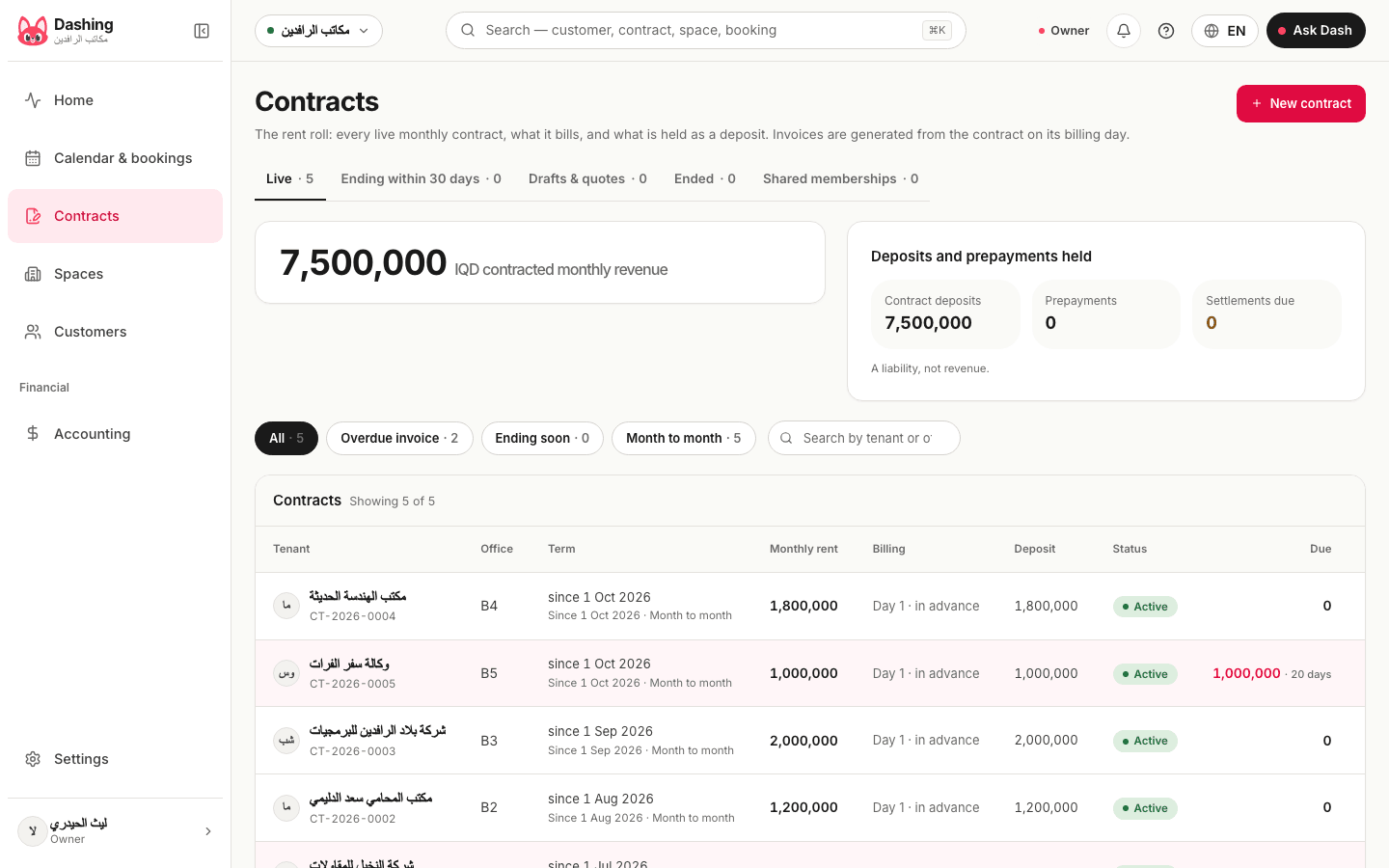
A contract suits a space rented by the month, such as an office or a furnished apartment. For a hall by the hour or day, use a normal booking instead. Contracts are in the rentals app.
Steps
- Open "Contracts" and press "New contract". The space type must be a monthly one.
- Step "1. Space type and space": pick the type, then a vacant space.
- Step "2. Tenant": search by name or phone, or add a new tenant.
- Step "3. Dates, rent and terms": enter the "Start date", then either "Month to month (no end date)" or an "End date". The "Monthly rent" comes from the type. Check the terms: "Deposit (months of rent)", "Grace days", "Minimum term (months)", "Notice (days)" and "Renewal".
- Press "Create the draft". Use "Edit the draft" to change it.
- When the tenant signs, open the draft and press "Activate". The space is reserved, the billing schedule starts, and the first invoice is issued if it is due.
- Record what the tenant pays with "Record a payment". For the guarantee use "Receive a security deposit".
Notes
- The billing schedule on the contract lists each period with its invoice, amount and status.
- "Change the rent" (manager only) applies to periods not billed yet.
- To end: "Give notice" works out the end date from the notice period. A manager can "Terminate on a date". "Close the contract today" ends it now.
- To continue: "Renew". With a notice given, "Withdraw the notice and renew".
- The security deposit is held as money you owe the tenant, not income. "Settle the security deposit" decides how it goes back.
- The contracts list has tabs for live contracts, those ending within 30 days, drafts and quotes, and ended ones.
What the system does not do
- It does not send the contract to the tenant or ask for a signature.
- It does not send reminders when rent is late, and late fees are not available.
Common questions
- Does the space stay free until I activate the contract?
- Yes. A draft does not reserve the space and nothing is billed. Activating reserves it and starts the billing schedule.
- Who can change the rent?
- A manager. The new rent applies to periods not yet billed, from the date you choose.
Was this page helpful?
In the same section
- Checking a guest in and outAssign the room, check in on arrival, add charges during the stay, check out, then settle what is held. Also cancel and no-show.
- Deposits, advances and payments on a bookingRecord a payment, take an advance, hold a deposit, and settle what is held at the end: refund it, keep it, or apply it to the invoice.
- Printing the receipt of a bookingOpen the booking invoice, send it to the guest on WhatsApp, or print it. To get a PDF, save it from the print window.
- Setting up room types and roomsAdd a room type with its price and rules, then its rooms, in three steps. The same screen sets up halls, offices and apartments in the rentals app.
- Taking a reservation or a bookingPick the room and dates, find or add the guest, check the price, then confirm or hold the room for a few hours.
This page is also available in العربية · کوردی
Read also
Did not find what you needed? Message us on WhatsApp